Skip to the main content
Perfection Learning

AP English

Help ALL your students achieve AP success with our coursebooks designed by leading experts.

AP & Honors Science

Guide students through real-world application of science concepts with Wiley’s advanced programs.

AP Social Studies

Discover a variety of accessible yet rigorous programs designed to align with AP social studies courses.

AP Computer Science

Prepare students for success on the AP Computer Science A exam.

AP & Honors Mathematics

Explore Wiley titles to support both AP and Honors mathematics instruction.

Literacy Skills & Intensive Reading

Connections: Reading – Grades 6–12

Empower student success with a proven intensive reading program that develops strong reading skills in striving readers.

Drama, Speech & Debate

Basic Drama Projects 10th Edition

Build students’ confidence and competence with comprehensive, project-based theatre instruction.

Literature

Connections: Literature

Support learners as they study dynamic, relevant texts and bring the richness of diverse voices to students through literature.

Middle School Preview | Shop
High School Preview | Shop
 

Literature & Thought

Develop critical thinking, reading, and writing across literacy themes, genres, historical eras, and current events.

Language Arts

Vocabu-Lit® – Grades 6–12

Help students build word power using high-quality contemporary and classic literature, nonfiction, essays, and more.


Connections: Writing & Language

Help students develop grammar, usage, mechanics, vocabulary, spelling, and writing and editing skills.

Reading/English Language Arts

Measuring Up to the English Language Arts Standards

Incorporate standards-driven teaching strategies to complement your ELA curriculum.

English Language Learners

Measuring Up for English Language Learners

Incorporate research-based best practices for ELLs with an approach that includes a focus on language acquisition strategies.

Mathematics

Measuring Up to the Mathematics Standards

Incorporate standards-driven teaching strategies to complement your mathematics curriculum.

Foundations

Measuring Up Foundations

Help students master foundational math skills that are critical for students to find academic success.

Reading Preview | Shop
Mathematics Preview | Shop

Science

Measuring Up to the Next Generation Science Standards

Give students comprehensive NGSS coverage while targeting instruction and providing rigorous standards practice.

Assessment

Measuring Up Live

Deliver innovative assessment and practice technology designed to offer data-driven instructional support.

World Languages

Social Studies

Science

Turtleback

Reinforced bindings of classroom novels and nonfiction for maximum durability with a lifetime guarantee.

SAT Prep

SAT Prep

Financial Literacy

Introduction to Personal Finance

Culinary Arts

Professional Cooking

Professional Baking

Welcome.

For a better website experience, please confirm you are in:

2 min read

Creating Text Messages to Reflect Rhetorical Situation Activity

Creating Text Messages to Reflect Rhetorical Situation Activity

Lesson Overview

This assignment is designed to help students think critically about how we use rhetoric in everyday communication—specifically through text messaging. Students will examine a (real or hypothetical) text message exchange and analyze the rhetorical elements involved in crafting an effective message.

Before the Lesson
  • Ensure students understand that the goal is to apply rhetorical analysis to real-world communication (texting).
  • Emphasize the connection between rhetoric and digital communication they use every day.
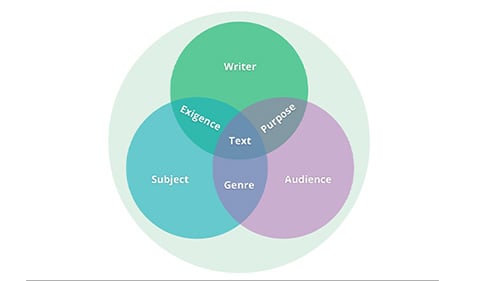
  • Re-teach or review the rhetorical situation framework.
  • Model the task with a sample text message exchange (real or created).
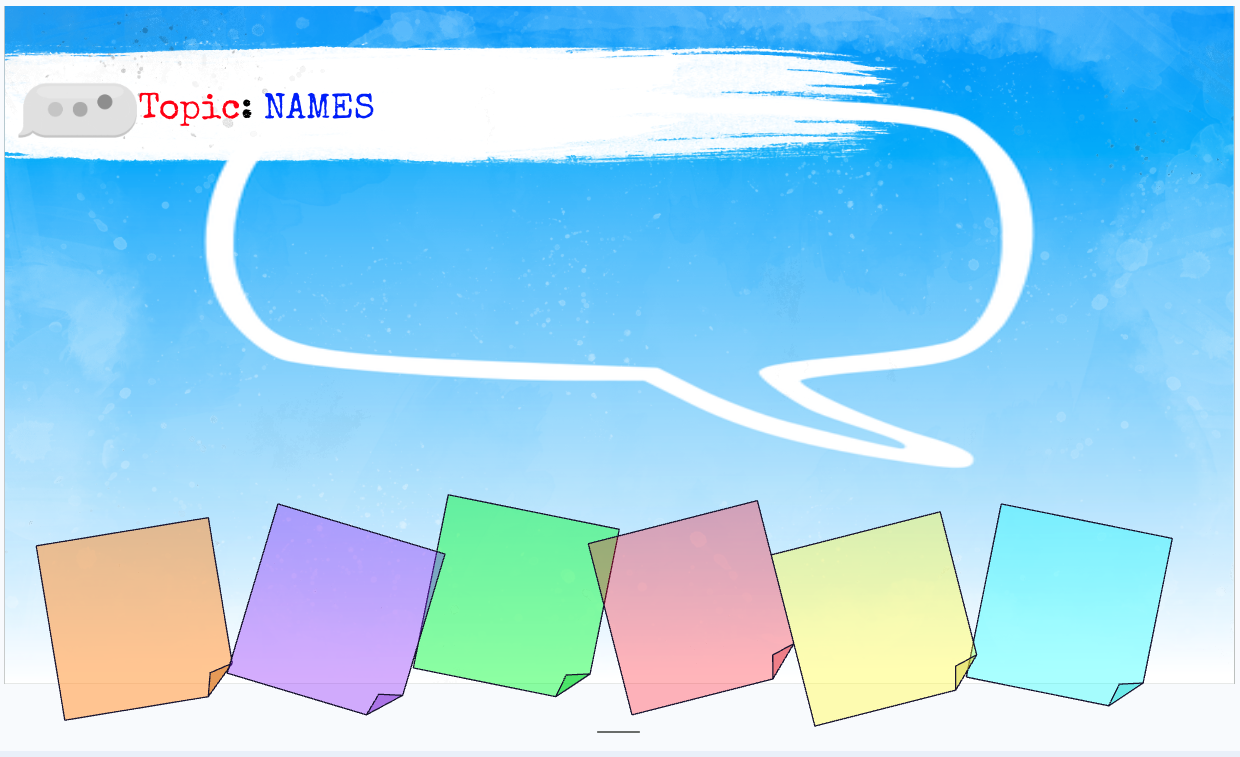
  • Walk through identifying rhetorical elements using sticky notes or a chart.

Materials and Resources

  • Slideshow with directions and space for student submissions
  • Link to the text thread creator tool (e.g., https://ifaketextmessage.com/ or another you’ve chosen)
  • Devices (laptops, tablets, or smartphones) for students to create their text message threads
  • Internet access for using the online tool and submitting digital work
  • Assignment instructions (printed or digital)
  • Example text thread and completed rhetorical chart (model example provided by the teacher)
  • Graphic organizer or chart template for rhetorical analysis (can be a printable worksheet or a digital document that students complete)
  • Physical sticky notes if working on paper or printed screenshots
  • Screenshot instructions (especially if students are unfamiliar with how to take and insert screenshots on their device)
  • Textbook or class notes covering rhetorical situation elements (context, exigence, speaker, audience, message)
  • Anchor charts or posters for visual reminders (optional but helpful)

Screenshot 2026-02-12 at 11.02.31 AM

What To Do

1. Prepare Materials

  • Review and print or upload the assignment sheet.
  • Bookmark or link the text thread creator tool (e.g., https://ifaketextmessage.com).
  • Prepare a model example (text exchange + rhetorical analysis).
  • Print or share digital versions of the rhetorical chart or sticky note template.
2. Set Up Technology
  • Confirm students will have access to devices and Wi-Fi.
  • Test the text message generator tool.
  • Set up a submission platform (can use class slideshow provided).

3. Introduce the Objective (5–10 min)

  • Explain that students will analyze how everyday text messages involve rhetorical choices.
  • Review key terms: context, exigence, speaker, audience, and message/purpose.
  • Briefly show your example text exchange and how you analyzed it.

4. Review Assignment Instructions (5 min)

  • Walk through each part of the assignment:
    • Create a (real or made-up) text exchange using the generator.
    • Insert a screenshot.
    • Use sticky notes or a chart to analyze rhetorical components.
    • Reflect on the rhetorical choices made in the message.

5. Brainstorm Topics (5–10 min)

  • Invite students to brainstorm possible situations that would require a text response (e.g., making plans, addressing a misunderstanding, responding to a school announcement). Connect to the concept of “immediate context” as it relates to the rhetorical situation.
  • Optional: Provide a list of sample prompts.

6. Create the Text Message Exchange (15–20 min)

  • Students use the online tool to write and design their conversation.
  • Remind them to take a screenshot once they’re done.
  • Support students who need help generating ideas or using the tool.

7. Analyze the Rhetorical Situation (15–20 min)

  • Students insert their screenshot into a doc or slide.
  • Use digital sticky notes or a chart to break down:
    • Context
    • Exigence
    • Speaker
    • Audience
    • Message/Purpose
  • Provide guiding questions as needed.

8. Reflect on Rhetorical Choices (10 min)

  • Have students write a short paragraph explaining the rhetorical strategies they used (tone, word choice, timing, etc.).
  • Encourage specific examples from their message.

9. Collect and Review Work

  • Students submit their completed assignment (screenshot + analysis + reflection).
  • Check that each rhetorical element is addressed clearly.

10. Debrief

  • Discuss insights:
    • What made some messages more effective than others?
    • How does understanding rhetoric help in everyday communication?
  • Optional: Share a few strong examples (with permission).

ProductPageBlogButtons (2)

AP® Language: Vocab Acquisition Template

AP® Language: Vocab Acquisition Template

This lesson provides strategies for predicting meaning, previewing texts, and making inferences about word meaning and vocabulary. Students will be...

Read More

"But That's What I Wrote..." — Argument and Line of Reasoning

The concept of a "Line of Reasoning" is not unfamiliar to students, but the terminology and various approaches to developing a line of reasoning may...

Read More
What AP® English Teachers Must Know about Their Students on Day One

What AP® English Teachers Must Know about Their Students on Day One

The first days of any AP® English course are less about handing out a syllabus and more about laying a foundation: telling students what is expected...

Read More
AP® Language: Connect an Anchor Text to the Art of Banksy

AP® Language: Connect an Anchor Text to the Art of Banksy

This lesson introduces students to Bansky’s graffiti art, its impact on pop culture, its reflection of different societal, cultural, and political...

Read More
AP Language: Doodle Notes

AP Language: Doodle Notes

In this lesson(s), students will create “Doodle Notes” to showcase their understanding of one of the free response questions on the AP Language exam ...

Read More
Mediums for AP® Lang

Mediums for AP® Lang

In this activity, students will read and reflect on the different types of writing they might encounter on the AP® Language & Composition Exam....

Read More
AP® Lang: Understanding a Line of Reasoning

AP® Lang: Understanding a Line of Reasoning

Guide students through an engaging activity that stresses the importance of the thesis & topic sentences to structure the line of reasoning. Students...

Read More
Preparing Your Students for the AP Lit Exam

Preparing Your Students for the AP Lit Exam

It’s a month before the AP exam and you’re freaking out. You're trying to think about what you need to review with your students, what you should...

Read More
Prepping Your Students for the AP® English Exams

Prepping Your Students for the AP® English Exams

It’s a month before the AP exam and you’re freaking out- You're trying to think about what you need to review with your students, what you should ask...

Read More
Helping Students Earn the Sophistication Point in AP English

Helping Students Earn the Sophistication Point in AP English

Every May, AP readers hear the same refrain: “The sophistication point is a unicorn.” But that’s not quite right. Unicorns don’t exist. The...

Read More
From Summary to Insight: Pushing AP English Students Toward Sophisticated Commentary

From Summary to Insight: Pushing AP English Students Toward Sophisticated Commentary

One of the most persistent challenges in AP® English classrooms isn’t getting students to write—it’s getting them to move beyond summary.

Read More
Preparing Your Students for the AP Lang Exam

Preparing Your Students for the AP Lang Exam

It’s a month before the AP exam and you’re freaking out. You're trying to think about what you need to review with your students, what you should ask...

Read More