


 View Cart
1 min read
Connecting Molecular Structure and Macroscopic Behavior
One of the biggest challenges in AP Chemistry is helping students connect what happens at the molecular level with what they observe in the real world

4 min read

Your students have already discovered vibecoding. The question is whether they understand what they're looking at when the AI spits out two hundred lines of code on a whim.
If you teach AP Computer Science or any introductory programming course, you've likely watched a student paste a coding question into ChatGPT, copy the output into their IDE, and hit run. When it works, they feel like geniuses. When it doesn't, they're completely stuck. They can't read the error message or identify which line is broken. They just know it doesn't work, so they tell the AI to "fix it." Sometimes it does, sometimes it doesn't.

This is a new phenomenon. Previous generations of CS students started with blank files, with their main obstacles in the form of confusing syntax or hidden bugs. Today's students can start with complete, functioning programs, generated in less time than it took to write this sentence. In lieu of errors, they face a far more existential question: Why write code when something else already does it better?
AI-assisted coding is not just the future, but the present, and educators should be preparing our students for it. That said, this educator is all too aware of the potential of such tools to take away legitimate learning opportunities for the students who need them most. Just like how a calculator is not the first tool to teach arithmetic, vibecoding is not the first technique to teach computer science. And, in mastering the fundamentals independently, students can better leverage AI tools once they enter higher academia or industry and enact real-world change through the programs they make with them.
The term, attributed to OpenAI co-founder Andrej Karpathy, describes a style of program development where programmers describe what they want in natural language, and an AI tool generates the code. The developer may guide, test, and refine the program, but they're not writing it line by line. Popular code generation tools today include Claude Code and ChatGPT, among others, which have made this workflow accessible to anyone with an internet connection and an idea.
For professional developers, this is a legitimate productivity multiplier, as today's AI agents can autonomously write, test, and debug entire programs with minimal inputs. For non-technical entrepreneurs and designers, these tools have introduced a new way to rapidly prototype without years of formal training. The industry has embraced it. AI-written code runs on billions of devices around the world. The conversation has already moved on from whether AI-assisted coding will become standard to how we can work with it effectively.
Vibecoding without foundational knowledge creates students who can produce code but can't reason about it. They can't debug it when it breaks unexpectedly or evaluate the efficiency of a given solution. They can't recognize a subtle logic error that only shows up in edge cases, because they don't know those edge cases are even possible.
In the context of AP Computer Science, where students need to trace code by hand, analyze algorithmic efficiency, and write methods from scratch, an overreliance on AI assistance actively harms their success. First and foremost, the exam does not allow students to access these tools, and they must rely on themselves to answer every question. In this case, there is no real substitute for practicing and studying.
Beyond that, these courses are meant to prepare students for higher education and/or industry jobs that require more than surface-level insights. Allowing students to enter these institutions without the same level of knowledge as their peers only sets them up for failure, and a lifetime of catching up.
When teachers consider introducing generative AI tools to their students, they should harken back to their overall goals as educators. Most would agree that they include the development of their students' knowledge, skills, and ultimately agency. Few would say that necessitates the rapid production of a large codebase.
With that in mind, it is most practical for educators to pace their projects carefully as they cover the fundamentals, then ramp up to tackle more complex programs with AI assistance once appropriate.
Early projects should be laser-focused on what they are trying to teach and minimize scope creep for the sake of it. Programs that cover basic programming concepts like variable assignment, conditionals, and loops can often be condensed into a handful of lines, sometimes as little as one. This does not require them to be rote or boring, as programs like a Mad Libs-style game welcome an infinite variety of design input while still being trivial to code. At that level, using code-generation tools is comparable to adding two plus two with a graphing calculator. Without concerns about accessibility, teachers can reasonably ban the use of AI for these initial assignments.
Introductory projects also serve as an opportunity for students to gain confidence in their own abilities, as they create something on their own through their own decisions. In a game like Mad Libs, much of the interest comes in the story that the user's inputs will be inserted into, giving the programmer many choices in how the story unfolds and where the gaps for inputs are. An AI could write this, but students interested in their own story would reject this offer to do it themselves. In the process, they would pick up coding fundamentals. The same could be said for many customizable projects, especially games. By letting the students make their own marks on their programs, instead of chasing a single "correct" answer, they intuit the possibility for code to translate their personal visions into unique, useful products.
As part of this, students also benefit from a classroom culture that emphasizes sharing programs and getting them to use and give feedback on each other's work. For one part, it discourages AI reliance since it would quickly get boring to review near-identical programs and code. But, more importantly, it encourages students to aim higher and put more of their unique vision in projects to impress their peers. And with more concrete goals in mind, students motivate themselves to learn the coding concepts needed to build the programs they want.
Once students are properly prepared and motivated, the introduction of vibecoding to the classroom becomes an event to celebrate rather than something risky or anxiety-inducing. Therefore, it is generally best to save such a day near the end of the school year, possibly after the AP exam. Once allowed, students with the understanding of both what they want to make and how to make it can use AI tools with confidence that the results will reflect their visions. Open-ended final projects are an especially potent time to legitimize AI-assisted coding, and can result in genuinely astounding programs that students should be proud to call their own creation. They might even lead to tangible, fantastic outcomes in college admissions and personal success.
Foundational knowledge transforms a student from a passive consumer of AI output into an active collaborator. Once they have a clear vision for what they want, they know what to ask for and how to evaluate the resulting code. They know when to accept the AI's suggestion and when to push back.
If the teacher asks for the same answer from every student, AI tools will inevitably become a crutch. There is no reason not to, as they achieve that goal well. Therefore, educators need to first challenge students to achieve on their own and hone their visions for what they want to make. Through this process, they prove themselves to be both deliberate and responsible with such power, and ready for the new world of vibecoding.

1 min read
One of the biggest challenges in AP Chemistry is helping students connect what happens at the molecular level with what they observe in the real world

1 min read
Environmental science is highly visual and deeply systems-based. Understanding everything from ecosystem interactions to sustainable practices to...

1 min read
Professional learning specialist Katie Smith shows AP science teachers how to transform traditional “cookbook” labs into rich experiences that...

1 min read
Chemistry is fundamentally about explaining how invisible molecular interactions shape the world we observe: micro and macro, structure and function....
1 min read
One of the biggest challenges AP Science teachers face is helping students connect lab skills to AP Exam free-response questions (FRQs). Students may...

1 min read
For AP history teachers, curriculum changes often bring a mixture of curiosity and concern. Fortunately, the College Board® updates to the AP...

1 min read
This lesson empowers students to understand and demystify the AP® English Language Free-Response exam, with a focus on:
.png)
1 min read
What does a broken muffler, a kite, & a capricious falcon have in common? According to the 2026 AP Language & Composition cohort, they are all...
1 min read
Unlock the power of historical thinking and writing as you elevate complexity and engagement in AP History classrooms. Presented by experienced AP...

1 min read
Dr. David Jolliffe walked through the origins of his widely shared rhetorical framework, how he teaches it today, and why every rhetorical analysis...
1 min read
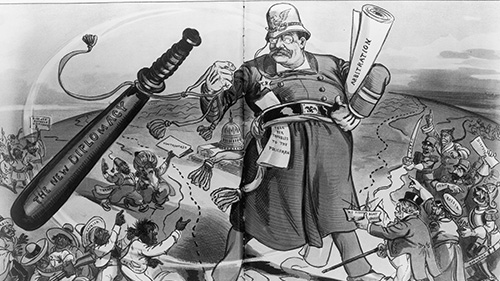
Political cartoons have influenced the public and brought about change like other tools in the press. The historic 1754 cartoon of a sliced-up snake,...
1 min read
Guide students through an engaging activity that stresses the importance of the thesis & topic sentences to structure the line of reasoning. Students...